The Podcaster's Link Problem
Your podcast is probably on Apple Podcasts, Spotify, YouTube, Amazon Music, Pocket Casts, and maybe a few more. You promote it on Instagram, TikTok, X, and LinkedIn. You have a website, a newsletter signup, maybe a merch store or a Patreon.
Every platform where you promote your podcast gives you room for one link in your bio. One. And the question that trips up most podcasters is: which link do you put there?
If you link to Apple Podcasts, you lose Spotify listeners. If you link to your website, you add friction for people who just want to hit subscribe. If you link to your latest episode, that link goes stale next week.
This is exactly the problem a link-in-bio page solves. One URL in your bio that opens a clean page with every listening platform, your latest episode, your newsletter, your merch — everything a potential listener or fan might want, organized in one place.
What to Put on Your Podcast Link Page
The best podcast link pages are simple and focused. Listeners who click your bio link have already shown interest — they just need a fast path to the action you want them to take.
Listening Platform Links (Top Priority)
Put your podcast platform links at the very top. Apple Podcasts and Spotify should be first since they account for over 80 percent of podcast listening. Follow with YouTube (for video podcasts), Amazon Music, and any other platforms where you have a meaningful audience. Use recognizable names — "Listen on Spotify" is better than a bare URL.
Latest or Featured Episode
Add a link to your most recent or best-performing episode. This gives new visitors a quick way to sample your content without committing to a subscription. Update this link when you publish new episodes — it takes thirty seconds and keeps your page fresh.
Newsletter or Community
If you have an email newsletter (and you should — it is the only audience you truly own), put the signup link on your page. Position it after your platform links but before secondary items like merch. A short description helps: "Weekly behind-the-scenes — 5,000 subscribers" is more compelling than just "Newsletter."
Merch, Patreon, or Sponsorship
Monetization links go lower on the page. Fans who scroll past your platform links and newsletter are your most engaged visitors — they are the ones most likely to buy a shirt, join your Patreon, or inquire about sponsorship. Keep these links present but do not lead with them.
Promoting Your Podcast on Social Media
Social media is where most podcast discovery happens in 2026. Short-form video clips on TikTok, Instagram Reels, and YouTube Shorts are the primary growth engine for independent podcasters. But posting clips without a clear path to subscribe is wasted effort.
- End every clip with a verbal call-to-action: "Link in bio to subscribe on your favorite app." This works because it is platform-agnostic — you are not choosing between Apple and Spotify.
- Put your link-in-bio URL in every video description and caption. On platforms that allow clickable links (YouTube, X), use the direct URL. On Instagram and TikTok, reference "link in bio."
- Create audiogram-style posts for platforms like X and LinkedIn where short video clips may not perform as well. A quote graphic with a compelling soundbite and "New episode — link in bio" drives curiosity.
- When a guest shares their episode appearance with their audience, make sure your link page is ready with that episode featured prominently. Guest cross-promotion is one of the highest-converting podcast growth tactics.
When you release a new episode, update your link-in-bio page before you start posting clips. The worst thing is a viral clip driving traffic to a page that features last week's episode.
Video Podcasts and YouTube
Video podcasting exploded in 2025 and 2026, with YouTube becoming the second-largest podcast platform after Spotify. If you publish video versions of your podcast, your link-in-bio strategy needs to account for this.
Add your YouTube channel as a separate link from your audio platforms. Listeners who prefer video want to go directly to YouTube, not to a generic podcast page. Label it clearly: "Watch on YouTube" stands out from "Listen on Spotify."
For clips that you post on TikTok and Instagram Reels, your link page should make it easy for viewers to find the full episode. A "Latest full episode" link that goes to your YouTube video catches the viewers who want more after seeing a 60-second clip.
If you are doing live podcast recordings on YouTube or Twitch, add a link to your upcoming live schedule or a "Set a reminder" link for your next live session. This converts casual viewers into regular attendees.
Tracking What Works
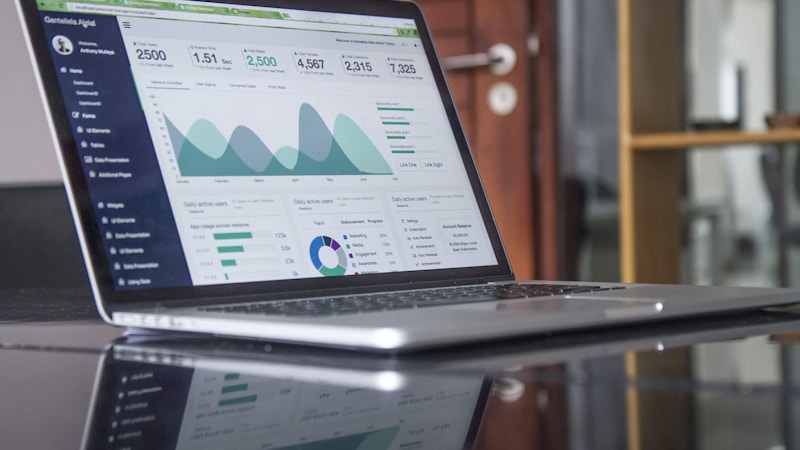
Without analytics, you are guessing which platforms and promotion strategies are actually driving subscribers. Most link-in-bio tools offer click tracking that shows you exactly which links get the most taps.
Watch for patterns. If your Apple Podcasts link gets twice as many clicks as Spotify, your audience skews toward Apple — adjust your verbal CTAs accordingly. If your newsletter link gets almost no clicks, try moving it higher on the page or improving the description.
Track referrer data to see which social platforms are sending the most traffic to your link page. If TikTok drives ten times more clicks than Instagram, that tells you where to focus your clip-posting energy.
Review your analytics weekly, ideally the day after you publish a new episode. This is when traffic spikes and you can see in real time how your promotion strategy is performing.
Podcast Link Page Mistakes to Avoid
- Linking to a single platform. You are leaving subscribers on the table every time someone's preferred app is not the one you linked to.
- Using your podcast hosting platform's default page. These pages are functional but generic, slow to load, and do not let you add non-podcast links like merch or newsletter signups.
- Forgetting to update your featured episode. A stale page signals that your podcast might be inactive.
- Overloading the page with too many links. Eight to twelve links is the sweet spot. More than that creates decision paralysis.
- Not mentioning "link in bio" in your content. If you never tell people to click your bio link, they will not. A simple verbal or written CTA makes a measurable difference.
Frequently Asked Questions
What is the best link-in-bio tool for podcasters?
The best tool is one that loads fast, lets you organize multiple platform links cleanly, and provides click analytics so you can see which platforms your audience prefers. SocialsLink supports all major podcast platforms and gives you analytics on Pro to track what is working.
Should I link to my podcast website or a link-in-bio page?
A link-in-bio page is better for social media bios because it gives listeners a direct path to subscribe on their preferred platform. Your website is great for SEO and long-form content, but it adds friction when someone just wants to hit "subscribe" on Spotify or Apple Podcasts.
How do I get more podcast subscribers from Instagram?
Post short video clips from your episodes as Reels, include a clear "link in bio" call-to-action, and make sure your bio link goes to a page with all your podcast platform links. Update your link page with your latest episode before posting clips.
How many links should a podcast link-in-bio page have?
Eight to twelve links is ideal. Lead with your top listening platforms (Apple, Spotify, YouTube), add your latest episode and newsletter, and include secondary links like merch or Patreon below. Too many links create decision paralysis; too few miss opportunities.
Create your podcast link page — free in 60 seconds
Set up your free SocialsLink page in 60 seconds. No credit card required.
Get Started Free